


Brother DR-520 / DR-620 | Drum CU026 | André Ink



The Brother DR-520 / DR-620 compatible Premium Tone CU026 drum is a universal imaging unit designed to replace both Brother DR-520 and DR-620 drum units.
With a life of up to approximately 25,000 pages, this imaging unit provides a practical solution for several generations of compatible Brother monochrome laser printers.
Features of the Brother DR-520 / DR-620 Compatible Drum
- Drum life: up to approximately 25,000 pages.
- OEM References: DR520 / DR-520 and DR620 / DR-620.
- Premium Tone SKU: PLBRDR520/620UNI.
- MPN: CU026.
- Type: universal compatible drum / imaging unit.
- Technology: monochrome laser printing.
- Replaces: Brother DR-520 and Brother DR-620.
Why Choose Our DR-520 / DR-620 Compatible Drum?
- Up to approximately 25,000 pages to reduce imaging drum replacement frequency.
- Universal DR-520 / DR-620 design allows the same imaging unit to be used with several generations of compatible Brother printers.
- Sharp, professional printing for invoices, reports, forms and office documents.
- Excellent value for money to help control your printing costs.
- Free André Ink technical support for installation, drum counter reset and troubleshooting.
- Fast shipping throughout Canada.
Drum Life and Print Quality
The Brother DR-520 / DR-620 compatible drum provides a reference life of up to approximately 25,000 pages.
Actual drum life may vary depending on the printer model, paper type, operating conditions and especially the number of pages printed per print job.
Brother Printers Compatible with DR-520 / DR-620
The universal CU026 imaging unit replaces both Brother DR-520 and DR-620 drums, covering compatible Brother printers from both families.
Always verify your printer's exact model number before ordering.
Order Your Brother DR-520 / DR-620 Compatible Drum
Choose our Brother DR-520 / DR-620 compatible Premium Tone CU026 universal imaging unit for your professional printing needs.
You receive free André Ink technical support along with fast shipping throughout Canada.
How to Reset the Brother DR-520 / DR-620 Drum
After replacing your Brother DR-520 or DR-620 drum unit, you will need to reset the drum counter so the printer correctly recognizes the new drum unit.
The Brother DR-520 and DR-620 use the same drum reset procedure. However, the procedure varies depending on the control panel of your printer. Choose the method below that corresponds to your Brother machine.
Option 1: Brother HL Printers Without a Display
This procedure applies to Brother printers using a DR-520 or DR-620 drum, including models such as the HL-5240, HL-5340D and HL-5370DW.
- Open the front cover of the printer while leaving the printer turned on.
- Press and hold the Go button for approximately 4 seconds.
- Release the button when all the indicator lights (LEDs) turn on.
- Close the front cover.
The Drum light should now turn off and the drum counter should be reset.
Option 2: Brother MFC or DCP Printers With a Numeric Keypad
This procedure applies to several Brother machines using a DR-520 or DR-620 drum, including the MFC-8460N, MFC-8890DW and DCP-8060.
- Open the front cover of the machine.
- Press the Clear or Clear/Back button on the control panel.
- The display should show “Replace Drum?”.
- Press 1 to confirm the drum counter reset.
- When “Accepted” appears on the display, close the front cover.
The drum counter should now be reset.
Option 3: Brother Multifunction Printers Without a Numeric Keypad
For Brother machines that use arrow keys instead of a numeric keypad, follow the procedure below.
- Open the front cover of the machine.
- Press the Clear or Clear/Back button.
- The display should show “Replace Drum?”.
- Press the Up Arrow (▲) to confirm the reset.
- When “Accepted” appears on the display, close the front cover.
The drum counter should now be reset.
Maintenance Tip: Clean the Corona Wire
Before closing the front cover, take a moment to clean the corona wire on the drum unit. This simple maintenance step can help maintain good print quality.
- Locate the small green or blue tab on top of the drum unit.
- Gently slide the tab from side to side 2 or 3 times.
- Return the tab to its original position.
Important: make sure the corona wire cleaning tab is returned to its original position. Incorrect positioning may affect print quality.
Does the “Replace Drum” Message Still Appear?
If the Drum light or “Replace Drum” message remains displayed after completing the procedure, make sure the DR-520 or DR-620 drum unit is properly installed, then repeat the reset procedure.
Important: resetting the drum counter does not repair a worn or defective drum unit. The counter should normally be reset when installing a new drum unit.
Need Help With Your Brother DR-520 or DR-620 Drum?
Not sure which reset procedure to use or whether the DR-520 or DR-620 is compatible with your printer? André Ink can help you identify the correct drum unit and the appropriate reset procedure for your Brother printer.
- Brand: Premium Tone
- Product Code: CU026
- MPN: CU026
- Availability: In Stock
-
69.95$
Complementary products
- 2 or more - 10%
Last update on 07.10.2026
Product of the same family
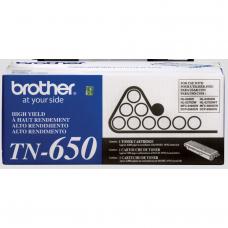


Genuine Brother TN-650
Article #: OLBRTN650 Origin code: TN-650 | TN650 Type: Laser cartridge Category: Genuine Ca..
200.99$
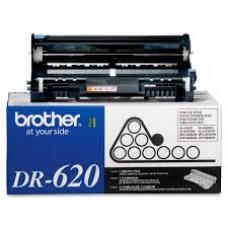
Genuine Brother DR-620 Drum
Article #: OLBRTN650 Origin code: TN-650 | TN650 Type: Imaging Drum Laser Category: Genuine ..
230.99$
Tags: PLBRDR520/620UNI, CU026, DR520, DR-520, DR 520, DR620, DR-620, DR 620, Brother DR520, Brother DR-520, Brother DR620, Brother DR-620, DR520 drum, DR620 drum, DR520 imaging unit, DR620 imaging unit, DCP-8060, DCP8060, DCP-8065DN, DCP8065DN, DCP-8080DN, DCP8080DN, DCP-8085DN, DCP8085DN, HL-5240, HL5240, HL-5250DN, HL5250DN, HL-5270DN, HL5270DN, HL-5280DW, HL5280DW, HL-5340D, HL5340D, HL-5350DN, HL5350DN, HL-5370DW, HL5370DW, HL-5370DWT, HL5370DWT, HL-5380DN, HL5380DN, MFC-8460N, MFC8460N, MFC-8480DN, MFC8480DN, MFC-8680DN, MFC8680DN, MFC-8690DW, MFC8690DW, MFC-8860DN, MFC8860DN, MFC-8870DW, MFC8870DW, MFC-8880DN, MFC8880DN, MFC-8890DW, MFC8890DW