


Brother DR-820 Compatible Drum – 30,000 Pages



Need to replace the drum in your Brother printer? The Brother DR-820 compatible drum from Premium Tone is designed to deliver sharp, consistent and professional print quality with compatible Brother monochrome laser printers.
With an estimated service life of up to approximately 30,000 pages based on one page per print job, the DR-820 is a durable and cost-effective solution for businesses, offices and users with higher printing volumes.
With average three-page print jobs, drum life can reach approximately 50,000 pages.
Important: the DR-820 is an imaging drum unit, not a toner cartridge. The drum and toner cartridge work together, but they are separate consumable components.
Brother DR-820 Compatible Drum Features
- Estimated service life: up to approximately 30,000 pages based on one page per print job.
- Potential life with three-page print jobs: up to approximately 50,000 pages.
- Reference: Brother DR-820 / DR820.
- Type: compatible imaging drum unit.
- Technology: monochrome laser printing.
- Reference format: single-sided A4 or Letter-size pages.
What Is the Difference Between the DR-820 Drum and Toner?
The DR-820 is the imaging drum. It helps create and transfer the image that is printed onto the paper.
The toner cartridge contains the black toner powder used to produce text and images. The toner cartridge works together with the drum, but the two components have different service lives.
If your Brother machine displays “Replace Drum” or “Drum End Soon”, the DR-820 may need to be replaced even if your toner cartridge still contains toner.
Why Choose Our DR-820 Compatible Drum?
- Up to approximately 30,000 pages based on one page per print job.
- Up to approximately 50,000 pages with average three-page print jobs.
- Professional print quality for sharp and consistent documents.
- Excellent value to help reduce printer maintenance costs.
- Easy installation in compatible Brother machines.
- Free André Ink technical support for drum replacement and drum-counter reset assistance.
- Fast shipping across Canada.
Brother Printers Compatible with DR-820
The Brother DR-820 compatible drum is suitable for the following Brother machines:
Always verify your machine's exact model number before ordering.
Brother DR-820 Drum Service Life
Brother estimates DR-820 drum life at approximately 30,000 pages with one-page print jobs and up to approximately 50,000 pages with three-page print jobs.
These estimates are based on single-sided A4 or Letter-size pages.
Actual drum life may vary depending on pages per print job, paper type and size, and general operating conditions.
Order Your Brother DR-820 Compatible Drum
Maintain sharp and professional print quality with our Premium Tone Brother DR-820 compatible drum.
Enjoy free technical support from André Ink, including drum installation and drum-counter reset assistance, plus fast shipping across Canada.
How to Reset the Brother DR-820 Drum
After replacing your Brother DR-820 drum unit, you will need to reset the drum counter so the printer correctly recognizes the new drum unit.
The DR-820 drum is used with several Brother printers that use TN-820 and TN-850 toner cartridges. The reset procedure varies depending on the control panel of your Brother machine. Choose the method below that corresponds to your printer.
Option 1: Brother HL Printers With an LCD Display and Buttons
This procedure applies to several Brother printers using the DR-820 drum, including the HL-L5100DN and HL-L5200DW.
- Leave the printer turned on and open the front cover.
- Press and hold the OK button for approximately 2 seconds until the display shows Drum or Drum Unit.
- Press OK again.
- Press the Up Arrow (▲) to select Reset.
- When “Accepted” appears on the display, close the front cover.
The DR-820 drum counter should now be reset.
Option 2: Brother Printers With a Touchscreen
This procedure applies to several Brother models using the DR-820 drum, including the MFC-L5800DW, MFC-L5900DW and MFC-L6700DW.
Important: for this procedure, the front cover must remain closed.
- From the Home screen, press the Settings icon.
- Select All Settings > Machine Info. > Parts Life.
- Press and hold Drum until the message on the display changes.
- When the printer asks you to reset the drum counter, press Yes.
- Press the Home button to return to the Home screen.
The DR-820 drum counter should now be reset.
Option 3: Brother MFC or DCP Printers With Buttons
This procedure may apply to certain Brother machines using the DR-820 drum, depending on their control panel.
- Leave the machine turned on and open the front cover.
- Press the Clear or Back button.
- When the display shows “Replace Drum?”, confirm the drum counter reset using the button indicated on your machine.
- When “Accepted” appears on the display, close the front cover.
The DR-820 drum counter should now be reset.
Maintenance Tip: Clean the Corona Wire
When replacing the DR-820 drum unit, take a moment to clean the corona wire. This simple maintenance step can help maintain good print quality.
- Remove the toner and drum assembly from the printer.
- Locate the green tab on the drum unit.
- Gently slide the tab from side to side 2 or 3 times.
- Return the green tab to its original position.
- Reinstall the toner and drum assembly in the printer.
Important: make sure the marks or arrows are properly aligned when returning the green tab to its original position. Incorrect positioning can cause lines or other print-quality problems.
Does the “Replace Drum” Message Still Appear?
If the “Replace Drum” message remains displayed after completing the procedure, make sure you used the reset method corresponding to the control panel of your exact Brother printer model, then repeat the procedure.
Important: resetting the drum counter does not repair a worn or defective drum unit. The counter should normally be reset when installing a new drum unit.
Need Help With Your Brother DR-820 Drum?
Not sure which reset procedure to use or whether the DR-820 is compatible with your printer? André Ink can help you identify the correct drum unit and the appropriate reset procedure for your Brother printer.
- Brand: Premium Tone
- Product Code: NCBRDR820
- MPN: NCBRDR820
- Availability: In Stock
-
69.95$
The more you buy, the more you save
- 3 or more - 5%
- 5 or more - 10%
Last update on 07.10.2026
Product of the same family


Compatible Brother TN-850 Fuzion – 100% garanties
Compatible Brother TN-850 Toner – High Yield, Quality, and Cost-Effective Are you..
69.95$
Compatible Brother TN-880 Fuzion – 100% guaranteed
Compatible Brother TN-880 Toner – High Yield, Quality, and Cost-Effective A..
84.95$
Brother TN-880 Compatible Black Toner Premium Tone – 12,000 Pages
The Brother TN-880 compatible black Premium Tone toner is a super high-yield solution designed f..
69.95$
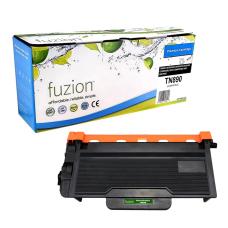
Compatible Brother TN-890 Fuzion – 100% guaranteed
Compatible Brother TN-890 Toner – High Yield, Quality, and Cost-Effective Are you..
89.95$
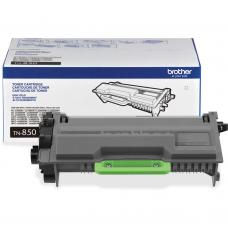


Genuine Brother TN-850 Toner
Article #: ORIGINERTN850 Origin code: TN-850 | TN850 Type: Laser cartridge Category: Origina..
189.99$
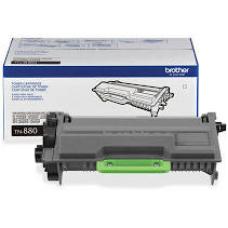
Genuine Brother TN-880 Toner
Article #: ORIGINETN880 Origin code: TN-880 | TN880 Type: Laser cartridge Category: Original..
217.99$
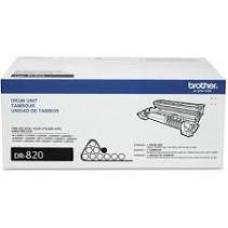
Genuine Brother DR-820 Drum
Article #: ORIGINEDR820 Origin code: DR-820 | DR820 Type: Imaging Drum Laser Category: Origi..
223.99$
Tags: NCBRDR820, GSDR820-NC, DR820, DR-820, DR 820, Brother DR820, Brother DR-820, tambour DR820, tambour DR-820, drum DR820, drum DR-820, DCPL5500DN, DCP-L5500DN, DCPL5600DN, DCP-L5600DN, DCPL5650DN, DCP-L5650DN, HLL5000D, HL-L5000D, HLL5100DN, HL-L5100DN, HLL5200DW, HL-L5200DW, HLL5200DWT, HL-L5200DWT, HLL6200DW, HL-L6200DW, HLL6200DWT, HL-L6200DWT, HLL6250DW, HL-L6250DW, HLL6300DW, HL-L6300DW, HLL6400DW, HL-L6400DW, HLL6400DWT, HL-L6400DWT, MFCL5700DW, MFC-L5700DW, MFCL5800DW, MFC-L5800DW, MFCL5850DW, MFC-L5850DW, MFCL5900DW, MFC-L5900DW, MFCL6700DW, MFC-L6700DW, MFCL6750DW, MFC-L6750DW, MFCL6800DW, MFC-L6800DW, MFCL6900DW, MFC-L6900DW