


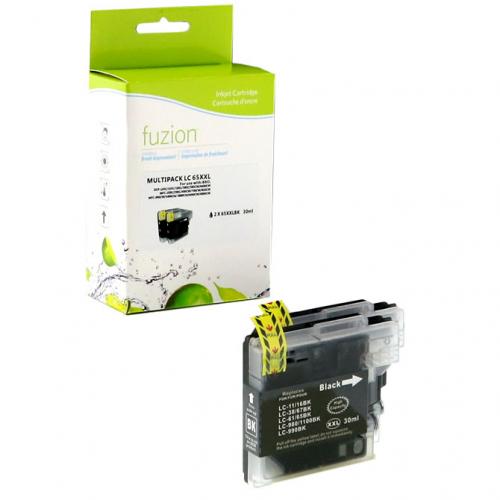
Compatible Brother LC65 XXL 2 X Black Fuzion (HD)


Fuzion! Quality that simply costs less.
Article #: FUZIONBRLC65BKX2
Origin code: LC652PKS
Type: Ink Jet
Category: New Compatible
Capacity: High Yield
Version1: V4
Genrration2: HD
Ink3: 2 picolitres
Print color: Black
Nomber of pages4: 2 X 900 (0.015$/pages)
Market price: 39.99$
Price: 27.95$
Laser Toner Cartridge Brother LC65 Black Compatible certified ISO/IEC 24711 et 24712, ensures performance and print quality comparable to original cartridges.
Product guaranteed at 100 %.
Free Technical Support.
Compatible printers
| Brother – MfC Series |
| MFC-5890CN | MFC-5895CW | MFC-6490CW | MFC-6890CDW |
Reference: Brother LC-65, Brother LC-65 Compatible Printers, LC-65bk, LC65bk, LC-65bk, LC65bk, LC-61 Black, LC65 Black, LC65 Ink, LC652PKS
1Version, 2Generation, 3Ink — Toner, 4Nomber of pages... Learn more⇓
Brother LC65HY Ink Cartridge Cleaning and Maintenance
How to Clean the Brother LC65HY Print Head
Brother printers using LC65HY ink cartridges have a built-in print head cleaning function.
Brother MFC-5890CN, MFC-5895CW and MFC-6490CW
INK → CLEANING
- Turn on the printer.
- Press the Ink button.
- Use the navigation arrows to select Cleaning.
- Press OK.
- Select Black, Color or All.
- Press OK.
- Wait until the cleaning cycle is complete.
- Print a quality check sheet.
Brother MFC-6890CDW – Touchscreen
INK → CLEANING
- Press the Ink control on the touchscreen.
- Select Cleaning.
- Choose Black, Color or All.
- Confirm cleaning if prompted.
- Wait until the cleaning cycle is complete.
Tip: if cyan, magenta or yellow is not printing correctly, select Color. If only black is affected, select Black.
How to Print a Quality Check Sheet
INK → TEST PRINT → PRINT QUALITY
- Press Ink.
- Select Test Print.
- Press OK if required.
- Select Print Quality.
- Press Color Start or the displayed control.
- Examine the black, cyan, magenta and yellow blocks.
- Check whether any lines are missing.
If Lines Are Missing
- When the printer asks whether black print quality is acceptable, answer according to the printed result.
- Repeat the check for the color blocks.
- If lines are missing, select No.
- When Start Cleaning? appears, select Yes.
- Wait until cleaning is complete.
- Print another quality check sheet.
Expected result: all four blocks should display complete lines without white gaps.
What If a Color Is Still Missing?
Brother recommends comparing the quality check sheets after cleaning.
- Perform one cleaning cycle.
- Print a quality check sheet.
- If print quality improves, repeat the procedure if necessary.
- If there is no improvement after two or three attempts, request technical assistance.
- If print quality improves but is still imperfect, Brother allows up to five cycles in total under its troubleshooting procedure.
Warning: cleaning consumes ink. Avoid unnecessary repeated cleaning cycles.
Brother LC65HY High-Yield Ink Cartridges
- LC65HYBK: black – approximately 900 pages.
- LC65HYC: cyan – approximately 750 pages.
- LC65HYM: magenta – approximately 750 pages.
- LC65HYY: yellow – approximately 750 pages.
Page yields are approximate and based on ISO/IEC 24711.
Difference Between LC61 and LC65HY
LC65HY cartridges are the high-yield versions of LC61 cartridges for compatible printers.
- LC61BK: approximately 450 pages.
- LC65HYBK: approximately 900 pages.
- LC61C, LC61M and LC61Y: approximately 325 pages each.
- LC65HYC, LC65HYM and LC65HYY: approximately 750 pages each.
Compatible Brother Printers
- Brother MFC-5890CN
- Brother MFC-5895CW
- Brother MFC-6490CW
- Brother MFC-6890CDW
Important: not every printer compatible with LC61 cartridges also supports LC65HY cartridges.
Why Is One Color Not Printing?
- Clogged print head nozzles.
- An empty or nearly empty cartridge.
- Incorrect cartridge installation.
- A cartridge recognition problem.
- The printer remaining unused for an extended period.
- A worn or defective print head.
Start by printing a quality check sheet to identify the affected color.
How to Fix Blurry or Misaligned Printing
Print Head Alignment
INK → TEST PRINT → ALIGNMENT
- Press Ink.
- Select Test Print.
- Press OK if required.
- Select Alignment.
- Press Black Start or Color Start.
- Examine the printed alignment check sheet.
- Compare the 600 dpi and 1200 dpi patterns with sample number 0.
- If sample number 5 most closely matches sample 0 for both resolutions, confirm that alignment is correct.
- Otherwise, select the sample number that best matches sample 0 for each resolution.
- Press Stop/Exit.
Note: controls may vary by printer model. Follow the instructions displayed on the printer.
What If Cleaning Does Not Work?
- Check the ink levels.
- Make sure all cartridges are installed correctly.
- Verify that the printer recognizes the cartridges.
- Identify the affected color.
- Avoid repeated cleaning without improvement.
- Never touch the print head directly.
- Do not use alcohol or solvents on the print head.
- If the problem persists, request technical assistance.
Frequently Asked Questions
How do I clean a Brother LC65HY printer?
Open the Ink menu, select Cleaning, choose Black, Color or All, then confirm.
Why is my Brother printer not printing cyan?
The cyan nozzles may be clogged. The cartridge may also be empty, incorrectly installed or not recognized.
Are LC61 and LC65HY cartridges interchangeable?
Yes, in printers supporting both cartridge series, including the MFC-5890CN, MFC-5895CW, MFC-6490CW and MFC-6890CDW.
Should I replace a cartridge when a color is missing?
Not necessarily. Clogged print head nozzles can cause the same problem. Start with a print quality check and cleaning.
Why does my printer not recognize the cartridge?
Check the cartridge reference, installation and condition. A recognition problem is not necessarily caused by clogged print head nozzles.
Tips to Prevent Print Quality Problems
- Print black and color documents regularly.
- Avoid leaving the printer unused for several weeks.
- Turn off the printer using its Power button.
- Normally leave the printer plugged in so automatic maintenance can operate.
- Keep replacement cartridges sealed until needed.
- Avoid unnecessary cleaning cycles.
André Ink Tip
A missing color does not automatically mean your Brother LC65HY cartridge is defective. Before replacing it, print a quality check sheet and use your printer's built-in cleaning procedure.
Need Help?
The André Ink team can help identify cartridge, recognition and print quality problems with your Brother printer.
Note: Menu names may vary depending on the printer model and selected language.
- Brand: Fuzion ink
- Product Code: IJLC652PKS
- MPN: FUZIONBRLC65BKX2
- Availability: In Stock
-
27.95$
The more you buy, the more you save
- 4 or more - 10%
Last update on 08.10.2026
Product of the same family
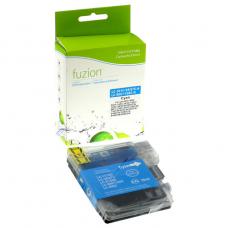

Compatible Brother LC65 XXL Cyan Fuzion (HD)
Fuzion! Quality that simply costs less. Article #: FUZIONBRLC65CY Origin code: LC65C ..
12.95$
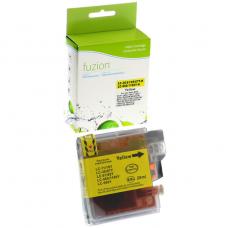
Compatible Brother LC65 XXL Yellow Fuzion (HD)
Fuzion! Quality that simply costs less. Article #: FUZIONBRLC65YL Origin code: LC65Y Typ..
12.95$
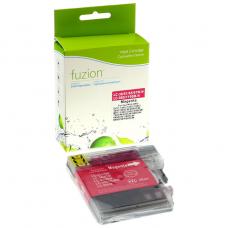
Compatible Brother LC65 XXL Magenta Fuzion (HD)
Fuzion! Quality that simply costs less. Article #:FUZIONBRLC65MA Origin code: LC65M Type..
12.95$
Tags: LC65, LC 65, LC-65, MFC5890CN, MFC5895CW, MFC6490CW, MFC6890CDW, MFC-5890CN, MFC-5895CW, MFC-6490CW, MFC-6890CDW
Our customers are everywhere in Canada... Learn more
