


Brother LC-20EM magenta compatible Fuzion – 1,200 pages
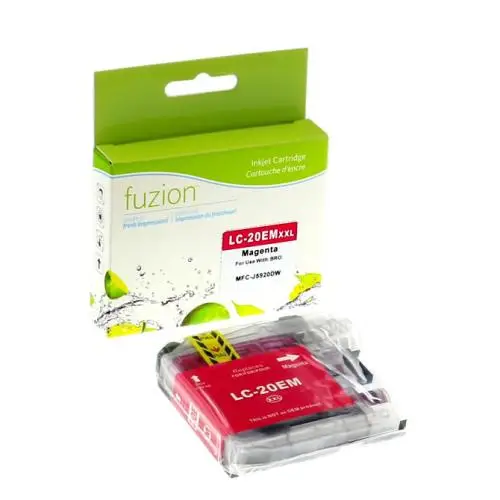


Brother LC-20EM magenta compatible Fuzion ink cartridge
The Brother LC-20EM magenta compatible Fuzion ink cartridge provides an economical solution for everyday colour printing at home or in the office.
Designed to replace the original Brother LC20EMS cartridge, this XXL super high-yield cartridge offers an advertised yield of 1,200 pages. It is suitable for colour documents, graphics, presentations and everyday printing while helping control printing costs.
Brother LC-20EM Cartridge Specifications
- Brand: Fuzion
- Product Code: IJLC20EM
- Original Brother Reference: LC20EMS
- Colour: Magenta
- Type: Compatible inkjet cartridge
- Contents: 1 magenta cartridge
- Format / Yield: XXL / 1,200 pages according to ISO/IEC 24711
Benefits of Our Compatible LC-20EM Cartridge
- Savings: An affordable replacement solution for original Brother cartridges.
- High yield: Up to 1,200 advertised pages to reduce cartridge replacements.
- Versatile printing: Suitable for colour documents, graphics, presentations and professional printing.
- Personalized service: André Ink helps you choose the right cartridges and troubleshoot your printers.
Brother Printers Compatible with LC-20EM
According to the supplier's list, this cartridge is intended for the Brother printers below. Check the consumable reference specified for your device, as cartridge references may vary by market.
Brother MFC
Brother MFC-J5920DW
Brother MFC-J985DW
Brother MFC-J985DWXL
Page Yield and Printing Costs
The Fuzion LC-20EM magenta cartridge offers an advertised yield of 1,200 pages. Actual yield varies depending on document content, ink coverage and usage conditions.
Estimate your savings using our real cartridge cost calculator.
Brother Printhead Cleaning and Maintenance
Is your printer showing missing lines, faded prints or poor print quality? Visit the Cleaning and Maintenance tab for checks and cleaning procedures suited to your Brother printer.
Order Your Brother LC-20EM Cartridge from André Ink
Choose a compatible Fuzion magenta super high-yield cartridge and enjoy André Ink's personalized service, with delivery throughout Quebec.
Brother LC20E Print Head Cleaning
Is your Brother printer missing black, cyan, magenta or yellow? White lines, missing colours and faded printing may indicate that the print head nozzles need cleaning.
Quick Cleaning Procedure – Brother LC20E
On the printer touchscreen:
INK → IMPROVE PRINT QUALITY → CHECK PRINT QUALITY
Alternative menu path:
SETTINGS → MAINTENANCE → IMPROVE PRINT QUALITY → CHECK PRINT QUALITY
- Press Ink or open the maintenance settings.
- Select Improve Print Quality.
- Choose Check Print Quality.
- Press Start to print the quality check sheet.
- Examine the black, cyan, magenta and yellow blocks.
- If lines are missing, select Yes.
- For each colour, select the numbered pattern from 1 to 4 that most closely matches your printout.
- If cleaning is required, press Start.
- After cleaning, print another quality check sheet.
Expected result: all four colour blocks should contain complete, consistent lines.
Important: Print head cleaning consumes ink. Check print quality after each cleaning. If several cleaning cycles do not improve the results, avoid unnecessary repeated cleaning and seek assistance.
Brother LC20E Ink Cartridge References
- LC20EBK: black – approximately 2,400 pages.
- LC20EC: cyan – approximately 1,200 pages.
- LC20EM: magenta – approximately 1,200 pages.
- LC20EY: yellow – approximately 1,200 pages.
Page yields are approximate and based on ISO/IEC 24711. Actual yield depends on printing conditions and usage.
Brother Printers Using LC20E Cartridges
- Brother MFC-J5920DW
- Brother MFC-J775DW
- Brother MFC-J775DW XL
- Brother MFC-J985DW
- Brother MFC-J985DW XL
Menu names and screen layouts may vary depending on the printer model.
Why Is One Colour Not Printing?
If black, cyan, magenta or yellow is missing, the print head nozzles may be partially clogged. An empty, incorrectly installed or defective cartridge may also cause poor print quality.
Start by printing a quality check sheet to identify the affected colour.
How to Fix Blurry or Misaligned Printing
If text looks blurry or vertical lines appear misaligned, the printer may need print alignment rather than head cleaning.
Alignment menu:
INK → IMPROVE PRINT QUALITY → ALIGNMENT
Or: SETTINGS → MAINTENANCE → IMPROVE PRINT QUALITY → ALIGNMENT
- Press Next, then Start.
- The printer prints an alignment check sheet.
- For each pattern, select the number with the fewest visible vertical stripes.
- Confirm your selection and complete the remaining steps.
What If Cleaning Does Not Work?
- Check the ink levels.
- Make sure each cartridge is installed correctly.
- Identify which colours are affected.
- Avoid repeated cleaning when there is no improvement.
- Never touch the print head directly.
- Do not apply solvents or cleaning products to the print head.
Frequently Asked Questions
Can print head cleaning remove clogged nozzles?
Yes. Automatic print head cleaning may remove certain nozzle blockages and restore missing colours. However, it cannot resolve every mechanical or cartridge problem.
Why is my printer not printing cyan?
The LC20EC cartridge may be empty or incorrectly installed, or the cyan print head nozzles may be clogged. A print quality check sheet can help identify the problem.
Should I replace a cartridge when one colour is missing?
Not necessarily. Start with a print quality check and the recommended cleaning procedure. If the issue continues, inspect the affected cartridge.
Tips to Help Prevent Print Quality Problems
- Print black and colour pages regularly.
- Avoid leaving the printer unused for extended periods.
- Turn off the printer using its Power button.
- Normally leave the printer plugged in so automatic maintenance can operate.
- Keep replacement cartridges sealed until needed.
- Avoid unnecessary cleaning cycles that consume ink.
André Ink Tip
A missing colour does not always mean the ink cartridge needs replacement. A print quality check followed by the printer's built-in cleaning procedure may restore printing and help avoid unnecessary cartridge replacement.
Need Help?
The André Ink team can help identify cartridge, print head and print quality problems with your Brother printer.
Note: Menu names may vary depending on the printer model and selected language.
```
- Brand: Fuzion ink
- Product Code: FUZIONBRLC20EMA
- MPN: IJLC20EM
- Availability: In Stock
-
17.95$
The more you buy, the more you save
- 4 or more - 10%
Last update on 28.10.2026
Product of the same family

Brother LC-20EBK black compatible Fuzion – 2,400 pages
Brother LC-20EBK black compatible Fuzion ink cartridge The Brother LC-20EBK black compatible ..
21.95$
Brother LC-20EC cyan compatible Fuzion – 1,200 pages
Brother LC-20EC cyan compatible Fuzion ink cartridge The Brother LC-20EC cyan compatible Fuzi..
17.95$
Brother LC-20EY yellow compatible Fuzion – 1,200 pages
Brother LC-20EY yellow compatible Fuzion ink cartridge The Brother LC-20EY yellow compatible ..
17.95$
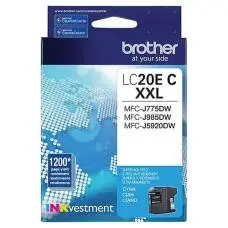


Genuine Brother LC20EC XXL Cyan
Article #: OJBRLC20ECY Origin code: LC20EC XXL Type: Ink Jet Category: Genuine Capacit..
24.49$
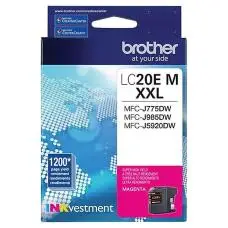
Genuine Brother LC20EM XXL Magenta
Article #: OJBRLC20EMA Origin code: LC20EM XXL Type: Ink Jet Category: Genuine Capacit..
24.49$
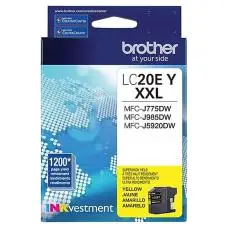
Genuine Brother LC20EY XXL Yellow
Article #: OJBRLC20EYL Origin code: LC20EY XXL Type: Ink Jet Category: Genuine Capacit..
24.49$
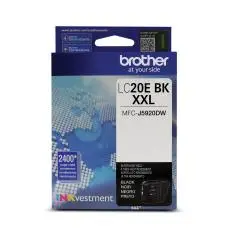
Genuine Brother LC20EBK LC20EK XXL Black
Article #: OJBRLC20EBK Origin code: LC20EBK | LC20EK Type: Ink Jet Category: Genuine Capaci..
37.99$
Tags: LC20EM, LC-20EM, LC 20EM, LC20EMS, LC-20EMS
Our customers are everywhere in Canada... Learn more
