

Compatible Brother LC109 XL Black (EHQ)
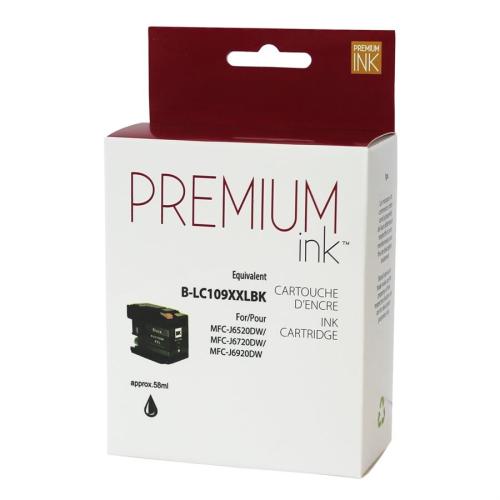


To print your proofs (Premium Ink) the best quality / price ratio of all economical cartridges sold on the market.
Article #: ECJBRLC109BK
Origin code: LC109K
Type: Ink Jet
Category: New Compatible
Capacity: High Yield
Genrration2: EHQ
Ink3: 1,9 picolitres
Print color: Black
Nomber of pages4: 2,400 (0.010$/pages)
Market price: 26.99$
Price: 24.95$
Inkjet Cartridge Brother LC-109BK Black Compatible certified ISO/IEC 24711 et 24712, ensures performance and print quality comparable to original cartridges.
Product guaranteed at 100 %.
Free Technical Support.
Compatible printers
| Brother – Mfc Series |
| MFC-J6520DW | MFC-J6720DW | MFC-J6920DW |
Reference: Brother LC-109k, Brother LC-109k compatible printers, LC-109k, LC109c, LC-109k, LC109bk, LC-109 black, LC109 black, LC109 ink, CBRO-LC109K
1Version, 2Generation, 3Ink — Toner, 4Nomber of pages... Learn more⇓
Brother LC105 and LC109 Print Head Cleaning
Is your Brother printer using LC105 or LC109 ink cartridges producing lines, missing colours or poor print quality? Follow this procedure to check print quality and clean the print head before unnecessarily replacing an ink cartridge.
Quick Procedure – Brother LC105 / LC109
On Brother models using this cartridge family:
INK → TEST PRINT → PRINT QUALITY
1. Open the Ink Menu
Press Ink. On supported models, you can also access this function through Settings → Ink.
Press Ink. On supported models, you can also access this function through Settings → Ink.
2. Select Test Print
Select Test Print, followed by Print Quality.
Select Test Print, followed by Print Quality.
3. Print the Quality Check Sheet
Press OK. The printer begins printing the Print Quality Check Sheet.
Press OK. The printer begins printing the Print Quality Check Sheet.
4. Check the Four Colour Blocks
Examine black, cyan, magenta and yellow. All short lines should be clear, complete and visible.
Examine black, cyan, magenta and yellow. All short lines should be clear, complete and visible.
5. Are Lines Missing?
If short lines are missing, select No when the printer asks whether the print quality is OK.
If short lines are missing, select No when the printer asks whether the print quality is OK.
6. Identify the Problem Colour
The printer asks whether print quality is OK for black and then for the three colours. Select Yes or No according to the printed result.
The printer asks whether print quality is OK for black and then for the three colours. Select Yes or No according to the printed result.
7. Start Cleaning
When the printer asks whether you want to start cleaning, press OK. The printer automatically cleans the print head.
When the printer asks whether you want to start cleaning, press OK. The printer automatically cleans the print head.
8. Print Another Quality Check
After cleaning, press OK. The printer prints another Print Quality Check Sheet. Inspect all four colour blocks again.
After cleaning, press OK. The printer prints another Print Quality Check Sheet. Inspect all four colour blocks again.
Important: menus may vary slightly depending on the Brother printer model. Brother uses this Print Quality Check and print head cleaning procedure on the MFC-J6520DW, MFC-J6720DW and MFC-J6920DW.
LC105 and LC109 – Understanding the References
In this Brother Super High Yield family, the black cartridge and the three colour cartridges use different reference numbers.
LC109BK – Black
Super High Yield / XXL
Up to approximately 2,400 pages
LC105C – Cyan
Super High Yield / XXL
Up to approximately 1,200 pages
LC105M – Magenta
Super High Yield / XXL
Up to approximately 1,200 pages
LC105Y – Yellow
Super High Yield / XXL
Up to approximately 1,200 pages
Super High Yield / XXL
Up to approximately 2,400 pages
LC105C – Cyan
Super High Yield / XXL
Up to approximately 1,200 pages
LC105M – Magenta
Super High Yield / XXL
Up to approximately 1,200 pages
LC105Y – Yellow
Super High Yield / XXL
Up to approximately 1,200 pages
Remember: LC109 refers to the LC109BK black cartridge. The Super High Yield colour cartridges in this family are LC105C, LC105M and LC105Y. There are no LC109C, LC109M or LC109Y cartridges in this range.
Printers Using LC105 / LC109
This Super High Yield combination is used with models including:
- Brother MFC-J6520DW
- Brother MFC-J6720DW
- Brother MFC-J6920DW
These printers can also use LC103 cartridges as another cartridge capacity. Always verify exact compatibility before ordering.
Still Seeing Lines or Missing Colours?
If print quality remains poor after the first cleaning, repeat the Print Quality Check and cleaning process.
Recommended maximum: 5 cleaning cycles.
If print quality gradually improves, repeat the test and cleaning process. Brother recommends stopping after five cleanings if print quality remains poor.
If print quality gradually improves, repeat the test and cleaning process. Brother recommends stopping after five cleanings if print quality remains poor.
Warning: every print head cleaning cycle consumes ink. Performing more than five cleaning cycles without improvement unnecessarily uses ink.
Before Replacing Your LC105 or LC109
A missing colour, horizontal lines or incomplete text do not automatically mean that your LC105 or LC109 cartridge is defective.
Print head nozzles may be clogged. The Print Quality Check can quickly determine whether the problem affects black, cyan, magenta or yellow.
Also verify that the cartridge is installed correctly before concluding that it is defective.
When Should You Clean the Print Head?
- Horizontal lines appear in text or images;
- black or one colour is completely missing;
- one colour prints only partially;
- short lines are missing from the Print Quality Check;
- text or portions of the page remain blank;
- colours appear faded or uneven;
- print quality suddenly decreases.
Blurred Text or Misaligned Printing?
If all four colours are present but text appears blurred, doubled or incorrectly aligned, the problem may be related to print alignment rather than clogged nozzles.
INK → TEST PRINT → ALIGNMENT
Print the Alignment Check Sheet. For each requested pattern, select the sample with the fewest visible vertical stripes.
Important Maintenance Tip
Avoid regularly unplugging your Brother printer.
When turning the printer off, use its Power button rather than disconnecting the power supply. Brother printers periodically perform maintenance operations to help prevent ink from drying in the print head.
When turning the printer off, use its Power button rather than disconnecting the power supply. Brother printers periodically perform maintenance operations to help prevent ink from drying in the print head.
Using your printer regularly can also help reduce the risk of dried ink and clogged print head nozzles.
What You Should Avoid
Do not touch the print head directly. Brother warns that touching the print head may cause permanent damage.
Do not apply alcohol, solvents or other cleaning products directly to the printer unless you know the appropriate procedure.
Always start with the printer's built-in Print Quality Check and cleaning functions.
Still Having Problems After 5 Cleanings?
If a colour remains completely missing or print quality does not improve, stop performing additional cleaning cycles.
The problem may be related to the LC105 / LC109 cartridge, ink delivery system, print head or printer.
Contact André Ink before unnecessarily replacing your ink cartridges or printer. We can help identify the cause of the problem.
Frequently Asked Questions – Brother LC105 / LC109
Which colours are available as LC109?
LC109 in this family refers to the LC109BK black cartridge. The corresponding Super High Yield colours are LC105C cyan, LC105M magenta and LC105Y yellow.
What is the yield of LC109BK?
Brother rates the LC109BK Super High Yield XXL cartridge for up to approximately 2,400 pages.
What is the yield of LC105 cartridges?
LC105C, LC105M and LC105Y are each rated for up to approximately 1,200 pages.
Which printers use LC109BK?
LC109BK is compatible with models including the Brother MFC-J6520DW, MFC-J6720DW and MFC-J6920DW.
Why is my LC109BK no longer printing black correctly?
The cartridge may be involved, but clogged black print head nozzles or an ink delivery problem can also prevent black from printing correctly. Run the Print Quality Check first.
How many times can I clean the print head?
Brother recommends repeating the Print Quality Check and cleaning process up to five times when print quality remains poor. Stop cleaning if there is no improvement after five cycles.
Tips to Help Prevent Print Quality Problems
A few good habits can help extend the life of your print head
- Use your printer regularly.
Long periods without printing can increase the risk of dried ink and clogged nozzles. - Normally keep the printer connected to power.
Turn it off using its Power button rather than unplugging it directly. - Do not perform unnecessary cleaning cycles.
Every cleaning cycle consumes ink. Check the result before starting another cleaning. - Check the result after each cleaning.
If print quality gradually improves, continue when necessary. If there is no improvement after several cycles, stop cleaning. - Do not immediately assume the cartridge is defective.
A missing colour may also be caused by clogged nozzles or an ink delivery problem. - Verify the correct cartridge reference.
For this family, XXL black is LC109BK, while the XXL colours are LC105C, LC105M and LC105Y. - Avoid touching the print head.
Do not dismantle the print head or apply solvents directly to the printer. - When in doubt, stop cleaning.
Proper diagnosis can prevent unnecessary ink consumption or replacement of an ink cartridge or printer.
André Ink Tip:
Before replacing an LC109BK, LC105C, LC105M or LC105Y because one colour is no longer printing correctly, always print the Print Quality Check Sheet. It can quickly show which colour has missing lines or clogged print head nozzles.
Before replacing an LC109BK, LC105C, LC105M or LC105Y because one colour is no longer printing correctly, always print the Print Quality Check Sheet. It can quickly show which colour has missing lines or clogged print head nozzles.
Need Help?
If cleaning does not solve the problem, contact André Ink. We can help determine whether the problem is related to the ink cartridge, ink delivery system, print head or printer before you unnecessarily replace equipment.
If cleaning does not solve the problem, contact André Ink. We can help determine whether the problem is related to the ink cartridge, ink delivery system, print head or printer before you unnecessarily replace equipment.
Note: menus, procedures and cartridge compatibility may vary depending on the Brother printer model. Brother, LC105 and LC109 trademarks and references are used for identification and compatibility purposes.
- Brand: Premium Ink
- Product Code: NCBRLC109XLBK
- MPN: ECJBRLC109BK
- Availability: In Stock
-
24.95$
The more you buy, the more you save
- 4 or more - 10%
Last update on 07.10.2026
Product of the same family

Compatible Brother LC105 XL Cyan (EHQ)
To print your proofs (Premium Ink) the best quality / price ratio of all economical cartridges sold ..
16.95$
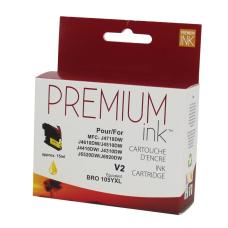
Compatible Brother LC105 XL Yellow (EHQ)
To print your proofs (Premium Ink) the best quality / price ratio of all economical cartridges sold ..
16.95$
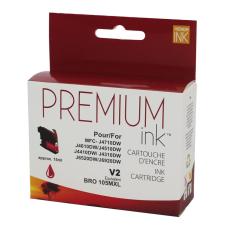
Compatible Brother LC105 XL Magenta (EHQ)
To print your proofs (Premium Ink) the best quality / price ratio of all economical cartridges sold ..
16.95$
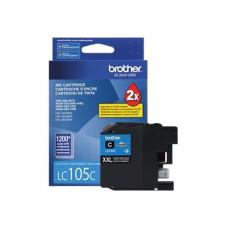


Genuine Brother LC105 XL Cyan
Article #: OJBRLC105CY Origin code: LC105C Type: Ink Jet Category: Genuine Capacity: H..
32.99$
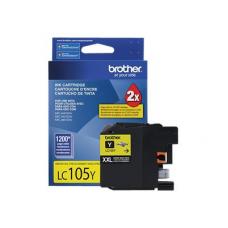
Genuine Brother LC105 XL Yellow
Article #: OJBRLC105YL Origin code: LC105Y Type: Ink Jet Category: Genuine Capacity: H..
32.99$
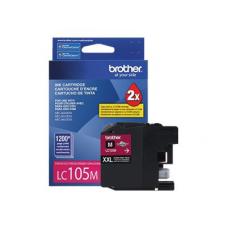
Genuine Brother LC105 XL Magenta
Article #: OJBRLC105MA Origin code: LC105M Type: Ink Jet Category: Genuine Capacity: H..
32.99$
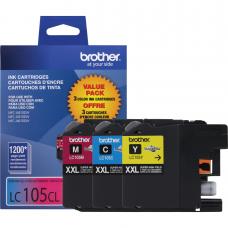
Genuine Brother LC105 Color Combo C/M/Y
Article #: OJBRLC1053PKS Origin code: LC1053PKS Type: Ink Jet Category: Genuine Capacity:&n..
124.99$
Tags: LC-109BK, LC-109, LC109, LC-109BK, LC109BK, LC 109, LC109, MFC-J6520DW, MFC-J6720DW, MFC-J6920DW
Our customers are everywhere in Canada... Learn more
