


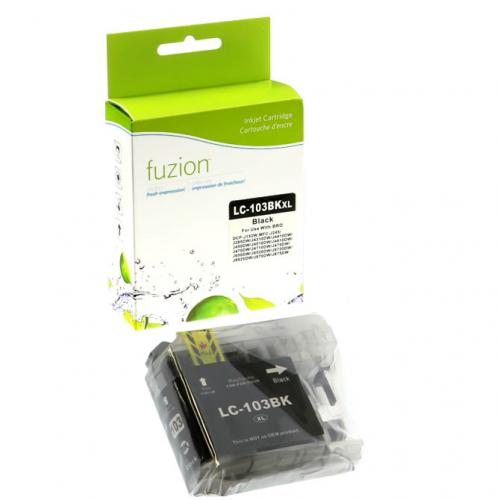
Compatible Brother LC103 XL Black Fuzion - 100% guaranteed



-100x100.png)
Compatible Inkjet cartridge Brother LC-103 Black with Electronic Chip – High Yield, Quality, and Cost-Effective
Are you looking for a LC103 Black compatible Inkjet cartridge with an electronic chip for your Brother printer? Our Fuzion HD cartridge delivers exceptional print quality at a competitive price, ideal for both professional and home use.
Product Features
- Product Features : up to 600 pages (ISO/IEC 24712 & 24712 standard at 5% coverage).
- Built-in Electronic Chip : precise ink level monitoring.
- 100% New Components : for optimal performance and easy installation.
- Color : Black
- Ink: 1,9 picolitres
- Économique : $14,95 only $0.024 per page.
- Fast delivery throughout Canada.
- Free technical support for any assistance.
Certifications and Social Responsibility
We work exclusively with manufacturers that meet the highest standards :
- ISO 9001 : quality management ensuring reliability and compliance.
- ISO/IEC 29102 et 29103 : standardized testing guaranteeing realistic yield.
- ISO 14001 : commitment to reducing environmental impact.
- SA8000 : respect for human rights and ethical working conditions.
- We refuse to collaborate with manufacturers that tolerate forced or child labor.
- We support local education and development initiatives to prevent children from being pushed into labor.
Compatibility and Benefits
Our compatible LC103 Black inkjet is perfect for the following Brother printers :
| Brother - DCP Series |
| DCP-J152W |
| Brother – Mfc Series |
| MFC-J245 | MFC-J285DW | MFC-J4310DW | MFC-J4410DW | MFC-J450DW | MFC-J4510DW | MFC-J4610DW | MFC-J470DW | MFC-J4710DW | MFC-J475DW | MFC-J650DW | MFC-J6520DW | MFC-J6720DW | MFC-J6920DW | MFC-J870DW | MFC-J875DW |
Order Now
Enjoy high-quality printing at a lower cost with our compatible Fuzion LC-103 Black cartridge with electronic chip.
Brother LC101 and LC103 Print Head Cleaning
Is your Brother printer using LC101 or LC103 ink cartridges producing lines, missing colours or poor print quality? Follow this procedure to check print quality and clean the print head before unnecessarily replacing an ink cartridge.
Quick Procedure – Brother LC101 / LC103
On the main Brother models using this cartridge family:
INK → TEST PRINT → PRINT QUALITY
1. Open the Ink Menu
On models with buttons, press Menu, select Ink, and press OK. On touchscreen models, access the Ink menu from the touchscreen or Settings menu.
On models with buttons, press Menu, select Ink, and press OK. On touchscreen models, access the Ink menu from the touchscreen or Settings menu.
2. Select Test Print
Select Test Print, followed by Print Quality.
Select Test Print, followed by Print Quality.
3. Print the Quality Check Sheet
Start printing the Print Quality Check Sheet.
Start printing the Print Quality Check Sheet.
4. Check the Four Colour Blocks
Examine black, cyan, magenta and yellow. The short lines in each block should be complete and clearly visible.
Examine black, cyan, magenta and yellow. The short lines in each block should be complete and clearly visible.
5. Are Short Lines Missing?
If short lines are missing, select No when the printer asks whether the print quality is OK.
If short lines are missing, select No when the printer asks whether the print quality is OK.
6. Identify the Problem Colour
The printer will ask whether the quality is OK for black and then for the three colours. Select Yes or No according to the printed result.
The printer will ask whether the quality is OK for black and then for the three colours. Select Yes or No according to the printed result.
7. Start Cleaning
When the printer asks whether you want to start cleaning, confirm. The printer will automatically clean the print head.
When the printer asks whether you want to start cleaning, confirm. The printer will automatically clean the print head.
8. Print Another Quality Check
After cleaning is complete, print another Print Quality Check Sheet and inspect the four colour blocks again.
After cleaning is complete, print another Print Quality Check Sheet and inspect the four colour blocks again.
Important: menus may vary slightly depending on the Brother printer model. Some machines use Menu, arrow and OK buttons, while others use a touchscreen.
LC101 or LC103 – What's the Difference?
Brother offers this cartridge family in LC101 Standard Yield and LC103 High Yield versions for printers compatible with both capacities.
Brother LC101 – Standard Yield
LC101BK – Black
LC101C – Cyan
LC101M – Magenta
LC101Y – Yellow
Yield: approximately 300 pages per cartridge
Brother LC103 – High Yield
LC103BK – Black
LC103C – Cyan
LC103M – Magenta
LC103Y – Yellow
Yield: approximately 600 pages per cartridge
LC101BK – Black
LC101C – Cyan
LC101M – Magenta
LC101Y – Yellow
Yield: approximately 300 pages per cartridge
Brother LC103 – High Yield
LC103BK – Black
LC103C – Cyan
LC103M – Magenta
LC103Y – Yellow
Yield: approximately 600 pages per cartridge
Approximate cartridge yields are declared in accordance with ISO/IEC 24711.
Compatibility warning: a printer that accepts LC103 does not automatically accept LC101. Some models support both capacities, while other LC103 printers require LC103 or other high-yield cartridge references. Always verify compatibility with your specific printer model before ordering.
Still Seeing Lines or Missing Colours?
If print quality remains poor after the first cleaning, repeat the Print Quality Check and cleaning process.
Recommended maximum: up to 5 cleaning cycles.
If print quality gradually improves, repeat the test and cleaning procedure. If print quality remains poor after five cleanings, stop cleaning and investigate another possible cause.
If print quality gradually improves, repeat the test and cleaning procedure. If print quality remains poor after five cleanings, stop cleaning and investigate another possible cause.
Warning: print head cleaning consumes ink. Performing more than five cleaning cycles without improvement unnecessarily uses your ink cartridges.
Before Replacing Your LC101 or LC103 Ink Cartridge
A missing colour, horizontal lines, incomplete text or blank areas do not automatically mean that your LC101 or LC103 cartridge is defective.
Print head nozzles may be clogged. The Print Quality Check can quickly help determine whether the problem affects black, cyan, magenta or yellow.
When Should You Clean the Print Head?
- Horizontal lines appear in text or images;
- one colour is completely missing;
- one colour prints only partially;
- short lines are missing from the Print Quality Check;
- text or portions of the page remain blank;
- colours appear faded or uneven;
- print quality suddenly decreases.
Blurred Text or Misaligned Printing?
If all four colours are present but text appears blurred, doubled or incorrectly aligned, the problem may be related to print alignment rather than clogged print head nozzles.
INK → TEST PRINT → ALIGNMENT
Print the Alignment Check Sheet and follow the instructions displayed by your Brother printer.
Important Maintenance Tip
Avoid regularly unplugging your Brother printer.
When turning the printer off, use its Power button rather than disconnecting the power supply. The printer is designed to perform periodic maintenance to help prevent ink from drying in the print head.
When turning the printer off, use its Power button rather than disconnecting the power supply. The printer is designed to perform periodic maintenance to help prevent ink from drying in the print head.
Using your printer regularly can also help reduce the risk of dried ink and clogged print head nozzles.
What You Should Avoid
Do not touch the print head directly. Improper handling may damage it.
Do not apply alcohol, solvents or other cleaning products directly to the printer unless you know the appropriate procedure.
Always start with the printer's built-in Print Quality Check and cleaning functions.
Still Having Problems After 5 Cleanings?
If a colour remains completely missing or print quality does not improve, avoid performing additional unnecessary cleaning cycles.
The problem may be related to the LC101 / LC103 cartridge, ink delivery system, print head or printer.
Contact André Ink before unnecessarily replacing your ink cartridges or printer. We can help identify the cause of the problem.
Frequently Asked Questions – Brother LC101 / LC103
How do I clean the print head on a Brother printer using LC101 or LC103?
On the main compatible models, access Ink → Test Print → Print Quality. Print the check sheet and follow the printer's instructions to clean the affected colours.
What is the difference between Brother LC101 and LC103?
LC101 is the standard-yield version at approximately 300 pages. LC103 is the high-yield version at approximately 600 pages.
Can I replace an LC101 with an LC103?
Yes, on Brother printer models designed to accept both capacities. Always verify your printer's compatibility before ordering because not every LC103 printer necessarily supports LC101.
Why is one colour not printing?
The cartridge may be involved, but clogged print head nozzles or an ink delivery problem can also prevent a colour from printing correctly. Run the Print Quality Check first.
How many times can I clean the print head?
If print quality remains poor, the test and cleaning process can be repeated up to five times. If satisfactory improvement is not achieved, stop cleaning and have the problem diagnosed.
Tips to Help Prevent Print Quality Problems
A few good habits can help extend the life of your print head
- Use your printer regularly.
An inkjet printer that remains unused for a long period is more likely to experience dried ink and clogged print head nozzles. - Normally keep the printer connected to power.
Turn it off using its Power button rather than unplugging it directly so the printer can manage its periodic maintenance operations. - Do not perform unnecessary cleaning cycles.
Every cleaning cycle consumes ink. Check the result before starting another cleaning. - Check the result after each cleaning.
If print quality gradually improves, continue according to the recommended procedure. If there is no improvement, avoid unnecessary repeated cleaning. - Do not immediately assume the cartridge is defective.
A missing colour may also be caused by clogged nozzles or an ink delivery problem. - Always verify LC101 / LC103 compatibility.
Although both references belong to the same cartridge family, some printers do not necessarily support both capacities. - Avoid touching the print head.
Do not dismantle the print head or apply solvents or cleaning products directly to the printer unless you know the appropriate procedure. - When in doubt, stop cleaning.
Proper diagnosis can prevent unnecessary ink consumption or replacement of an ink cartridge or printer.
André Ink Tip:
Before replacing an LC101 or LC103 because one colour is no longer printing correctly, always print the Print Quality Check Sheet. It can quickly show which colour has missing lines or clogged print head nozzles.
Before replacing an LC101 or LC103 because one colour is no longer printing correctly, always print the Print Quality Check Sheet. It can quickly show which colour has missing lines or clogged print head nozzles.
Need Help?
If cleaning does not solve the problem, contact André Ink. We can help determine whether the problem is related to the ink cartridge, ink delivery system, print head or printer before you unnecessarily replace equipment.
If cleaning does not solve the problem, contact André Ink. We can help determine whether the problem is related to the ink cartridge, ink delivery system, print head or printer before you unnecessarily replace equipment.
Note: menus, procedures and cartridge compatibility may vary depending on the Brother printer model. Brother, LC101 and LC103 trademarks and references are used for identification and compatibility purposes.
- Brand: Fuzion ink
- Product Code: FUZIONBRLC103BK
- MPN: IJLC103K
- Availability: In Stock
-
14.95$
The more you buy, the more you save
- 4 or more - 10%
Last update on 08.10.2026
Product of the same family

Compatible Brother LC103 XL Cyan Fuzion - 100% guaranteed
Compatible Inkjet cartridge Brother LC-103 Cyan with Electronic Chip – High Yield, ..
10.95$
Compatible Brother LC103 XL Magenta Fuzion - 100% guaranteed
Compatible Inkjet cartridge Brother LC-103 Magenta with Electronic Chip – High Yiel..
10.95$
Compatible Brother LC103 XL Cyan Fuzion - 100% guaranteed
Compatible Inkjet cartridge Brother LC-103 Yellow with Electronic Chip – High Yield..
10.95$
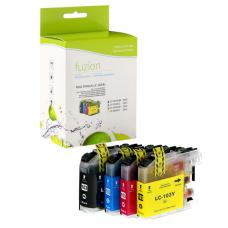
Compatible Brother LC103 Set of 4 Fuzion - 100% guaranteed
Compatible Inkjet cartridge Brother LC-103 Set of 4 colors, Black, Cyan, Yellow, Magenta, w..
42.95$
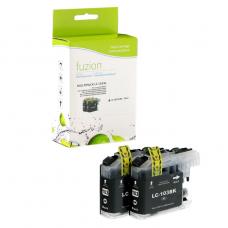
Compatible Brother LC103 XL 2 X Black Fuzion - 100% guaranteed
Compatible Inkjet cartridge Brother 2 X LC-103 Black with Electronic Chip – High Yi..
27.95$
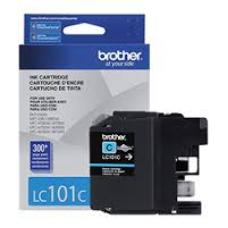


Genuine Brother LC101 Cyan
Article #: OJBRLC103C Origin code: LC101C | LC-101C Type: Ink Jet Category: Genuin..
16.99$
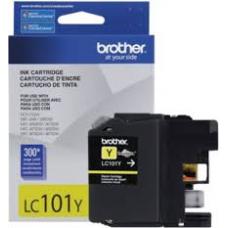
Genuine Brother LC101 Yellow
Article #: OJBRLC103Y Origin code: LC101Y | LC-101Y Type: Ink Jet Category: Genuin..
16.99$
Genuine Brother LC101 Magenta
Article #: OJBRLC103M Origin code: LC101M | LC-101M Type: Ink Jet Category: Genuin..
16.99$
Genuine Brother LC101 Black
Article #: OJBRLC101BK Origin code: LC101BK | LC-101BK Type: Ink Jet Category: Genuine ..
24.99$
Genuine Brother LC101 Color Combo C/M/Y
Article #: OJBRLC1013PKS Origin code: LC101C | LC101Y| LC101M Type: Ink Jet Category:&n..
41.99$
Genuine Brother LC103 Black
Article #: OJBRLC103BK Origin code: LC103BK | LC-103BK Type: Ink Jet Category: Genuine ..
49.99$
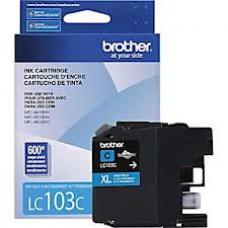
Genuine Brother LC103 Cyan
Article #: OJBRLC103C Origin code: LC103C | LC-103C Type: Ink Jet Category: Genuine Ca..
28.99$
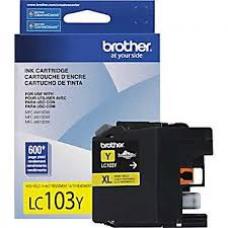
Genuine Brother LC103 Yellow
Article #: OJBRLC103Y Origin code: LC103Y | LC-103Y Type: Ink Jet Category: Genuine Ca..
28.99$
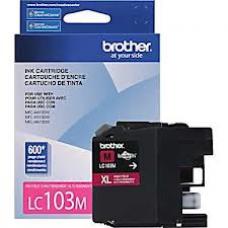
Genuine Brother LC103 Magenta
Article #: OJBRLC103M Origin code: LC103M | LC-103M Type: Ink Jet Category: Genuine Ca..
28.99$
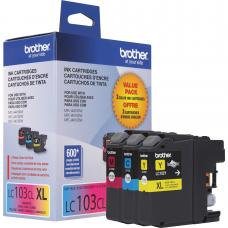
Genuine Brother LC103 Color Combo C/M/Y
Article #: OJBRLC1033PKS Origin code: LC103C | LC103Y| LC103M Type: Ink Jet Category:&n..
70.99$
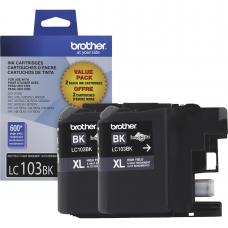
Genuine Brother LC103 / 2 X Black
Article #: OJBRLC1032PKS Origin code: LC1032PKS | LC-1032PKS Type: Ink Jet Category: Ge..
84.99$
Tags: LC-101, LC101, LC-103, LC103, LC-101BK, LC101BK, LC-103BK, LC103BK, DCP-J152W, MFC-J285DW, MFC-J4310DW, MFC-J4410DW, MFC-J450DW, MFC-J4510DW, MFC-J4610DW, MFC-J470DW, MFC-J4710DW, MFC-J475DW, MFC-J650DW, MFC-J6520DW, MFC-J6720DW, MFC-J6920DW, MFC-J870DW, MFC-J875DW, MFC-J285DW, MFC-J4310DW, MFC-J4410DW, MFC-J450DW, MFC-J4510DW, MFC-J4610DW, MFC-J470DW, MFC-J4710DW, MFC-J475DW, MFC-J650DW, MFC-J6520DW, MFC-J6720DW, MFC-J6920DW, MFC-J870DW, MFC-J875DW
Our customers are everywhere in Canada... Learn more
