


Brother DR-720 Compatible Imaging Drum Fuzion – 30,000 Pages
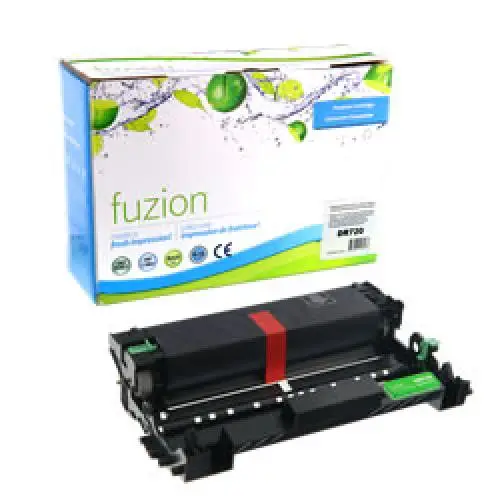


The Brother DR-720 compatible Fuzion imaging drum is designed for Brother monochrome laser printers and multifunction devices using the DR720 reference.
With a lifespan of up to approximately 30,000 pages, the DR-720 provides an economical solution for maintaining sharp and consistent printing with your compatible Brother device.
The drum is a separate component from the toner cartridge. It plays an important role in forming the image during the laser printing process and requires periodic replacement.
Features of the Brother DR-720 Compatible Drum
- Lifespan: up to approximately 30,000 pages.
- OEM Reference: DR720.
- Fuzion SKU: GSDR720-NC.
- Colour: Black.
- Type: new compatible imaging drum unit.
- Technology: monochrome laser printing.
- Reference lifespan: approximately 30,000 A4 or Letter-size single-sided pages at one page per print job.
Why Choose Our Compatible DR-720 Drum?
- Up to approximately 30,000 pages for extended service life.
- Sharp and consistent printing for everyday documents.
- Consistent print quality for text, reports, invoices and administrative documents.
- Economical solution for maintaining your compatible Brother printer.
- Fuzion compatible drum designed for the Brother devices listed below.
- Independent toner replacement: the drum and toner cartridge are separate consumable components.
- Free André Ink technical support for installation and drum counter reset assistance.
- Fast shipping throughout Quebec and Canada.
Brother DR-720 Drum Lifespan
The Brother DR-720 compatible Fuzion drum provides a lifespan of up to approximately 30,000 pages.
This reference lifespan is based on A4 or Letter-size single-sided pages at one page per print job.
Actual drum life may vary depending on several factors, including the number of pages per print job, paper type, printing conditions, temperature, humidity and operating environment.
Important: the drum and toner cartridge are separate consumable components. Replacing the toner does not necessarily mean that the drum needs to be replaced.
DR-720 Drum Installation and Counter Reset
Important: after installing a new DR-720 drum, you may need to reset the drum counter on your Brother printer.
The reset procedure varies by printer model. If the drum replacement message remains displayed, contact André Ink for free assistance.
Printers Compatible with Brother DR-720 Drum
The Brother DR-720 compatible Fuzion drum is suitable for the following Brother devices:
Please verify your exact printer model before ordering.
Order Your Brother DR-720 Compatible Drum
Choose the Brother DR-720 compatible Fuzion imaging drum to help maintain sharp and consistent printing with a lifespan of up to approximately 30,000 pages.
André Ink provides shipping throughout Quebec and Canada. You also receive free André Ink technical support for installation, troubleshooting and drum counter reset assistance.
How to Reset the Brother DR-720 Drum
After replacing your Brother DR-720 drum unit, you will need to reset the drum counter so the printer correctly recognizes the new drum unit.
The reset procedure varies depending on the control panel of your Brother machine. Choose the method below that corresponds to your printer.
Option 1: Brother HL Printers Without a Display
This procedure applies to Brother printers using the DR-720 drum, including the HL-5440D, HL-5450DN, HL-5470DW and HL-6180DW.
- Open the front cover of the printer while leaving the printer turned on.
- Press and hold the Go button for approximately 4 seconds.
- Release the button when all the indicator lights (LEDs) turn on.
- Close the front cover.
The DR-720 drum counter should now be reset.
Option 2: Brother MFC or DCP Printers With Buttons
This procedure applies to several Brother machines using the DR-720 drum, including the MFC-8510DN, MFC-8710DW and MFC-8910DW.
- Open the front cover of the machine.
- Press the Clear or Back button on the control panel.
- The display should show “Replace Drum?”.
- Confirm the drum counter reset according to your control panel:
- if your machine has a numeric keypad, press 1;
- if your machine uses arrow keys, press the Up Arrow (▲).
- When “Accepted” appears on the display, close the front cover.
The DR-720 drum counter should now be reset.
Option 3: Brother Printers With a Touchscreen
This procedure applies to certain Brother models using the DR-720 drum, including the MFC-8950DW.
- Make sure the front cover is completely closed.
- Press Menu.
- Use the arrow keys to select Machine Info., then confirm.
- Select Reset Menu, then select Drum.
- When the display shows “Reset Drum?”, press Yes to confirm.
- Exit the menu.
The DR-720 drum counter should now be reset.
Maintenance Tip: Clean the Corona Wire
When replacing the drum unit, take a moment to clean the corona wire. This simple maintenance step can help maintain good print quality.
- Locate the green tab on the drum unit.
- Gently slide the tab from side to side 2 or 3 times.
- Return the tab to its original position.
Important: make sure the arrows are properly aligned when returning the green tab to its original position. This can help prevent lines or dark bands from appearing on your printed pages.
Does the “Replace Drum” Message Still Appear?
If the Drum light or “Replace Drum” message remains displayed after completing the procedure, make sure the DR-720 drum unit is properly installed, then repeat the reset procedure for your printer model.
Important: resetting the drum counter does not repair a worn or defective drum unit. The counter should normally be reset when installing a new drum unit.
Need Help With Your Brother DR-720 Drum?
Not sure which reset procedure to use or whether the DR-720 is compatible with your printer? André Ink can help you identify the correct drum unit and the appropriate reset procedure for your Brother printer.
- Brand: Fuzion Toner
- Product Code: FUZIONBRDR720
- MPN: GSDR720-NC
- Availability: In Stock
-
79.95$
The more you buy, the more you save
- 2 or more - 5%
- 3 or more - 10%
Last update on 19.10.2026
Product of the same family

Brother TN-750 Compatible Black Toner Fuzion – 8,000 Pages
The Brother TN-750 compatible black Fuzion toner is a high-yield cartridge designed for Brother ..
59.95$
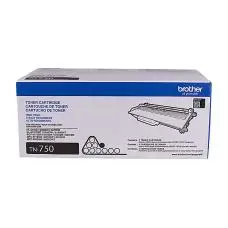


Genuine Brother TN-750
Article #: OLBRTN750 Origin code: TN-750 | TN750 Type: Laser cartridge Category: Genuine Ca..
192.99$
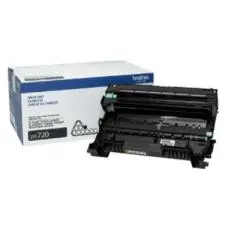
Genuine Brother DR-720 Imaging Drum
Article #: OLBRDR720 Origin code: DR-720 | DR720 Type: Imaging Drum Laser Category: Genuine ..
235.99$
Our customers are everywhere in Canada... Learn more
